ABYZOR KEYS
Know your library before you play it.
Harmonic analysis, smart set building and intelligent playlist prep in one desktop workspace. Detect key and BPM across your whole library, find what mixes with what, and export sets that are ready for the booth.
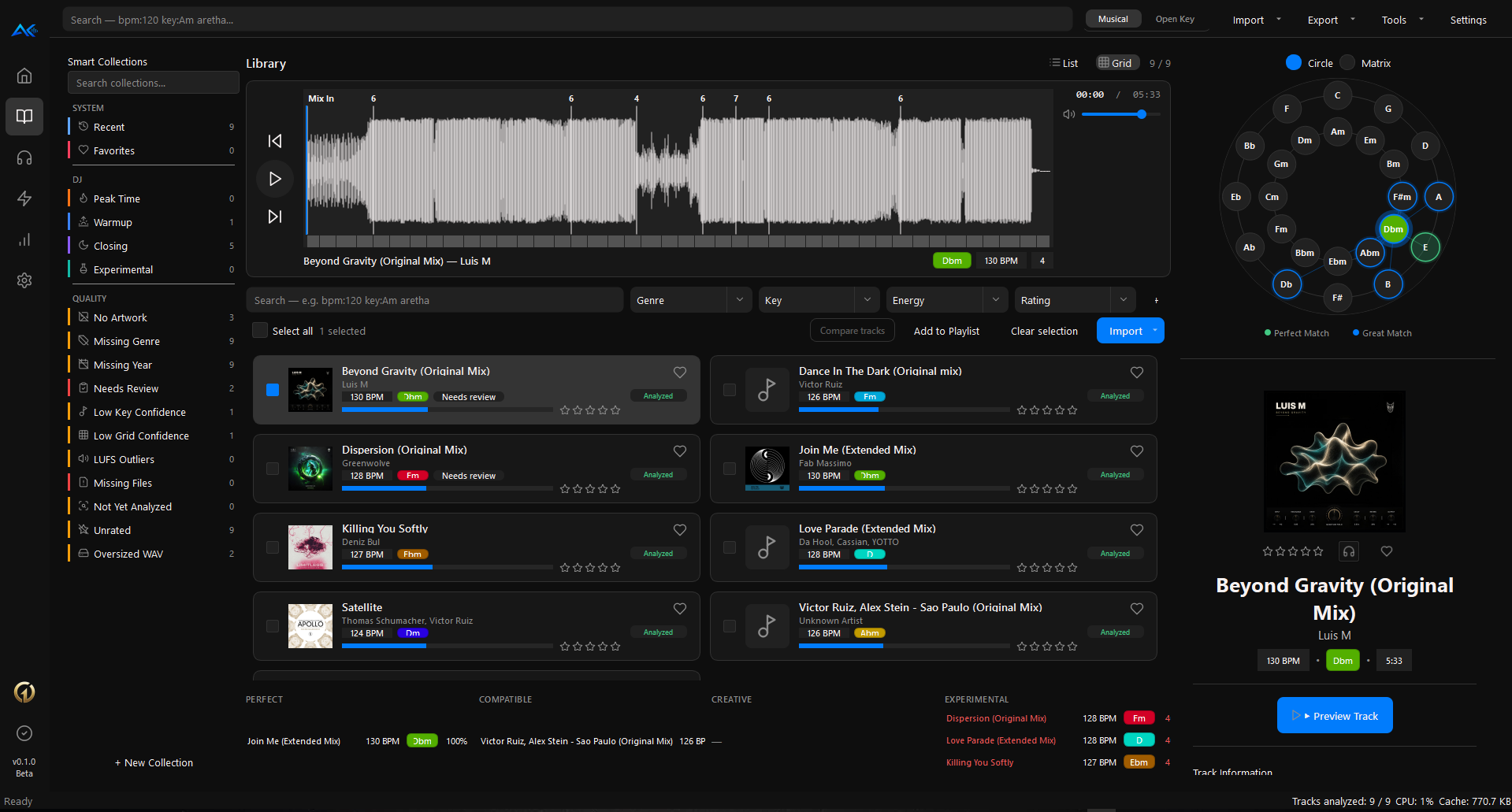
Watch it prepare a library.
Analysis, harmonic matching, smart collections and export — end to end.
Import, analyse,
build, export.
The same four moves every time you get a new batch of tracks.
Free forever.
More if you want it.
Everything you need to analyse and organise a library is in the free tier, permanently. Professional adds the tools that plan the set for you — one payment, no subscription.
- Key detection
- BPM detection
- Circle of Fifths
- Audio preview & waveform
- Music library
- Smart Collections (up to 5 custom)
- Playlist management
- M3U / M3U8 / CSV export
- Metadata writing
- Basic statistics
- Smart Set Builder
- Mix Coach
- Transition Audition
- ABYZOR Matrix
- Recommended Next & Transition Score
- Playlist optimisation
- Advanced library review
- Unlimited Smart Collections
- DJ ecosystem exports
- Energy Arc templates
- Professional statistics & USB prep
- All future Professional features
Secure checkout via

Keys prepares the music.
ABYZOR One presents you.
ABYZOR One — creator platform
Free
The other half of a DJ's workflow isn't software — it's the page a promoter opens when they're deciding who to book. ABYZOR One gives you a real one: a custom URL, your mixes and releases, a photo gallery and a one-tap booking contact. It takes about five minutes and costs nothing.
- Custom URL at one.abyzor.space/you
- Releases, gallery, social and streaming links in one place
- One-tap booking / contact CTA
- Free forever — nothing to install
One is a separate, optional part of ABYZOR. Keys works fully without it, and nothing in your library is uploaded anywhere.

Two machines,
online or offline.
- Minimum
- 4 GB RAM · dual-core CPU · ~500 MB disk space
- Recommended
- 8 GB RAM · quad-core CPU · SSD
- Platforms
- Windows (setup installer) · macOS (portable zip, Apple Silicon & Intel)
Common questions.
How do I install Keys?
How do I activate Professional?
Can I activate without internet?
Is Keys still in beta?
My antivirus flagged the download.
Can I share what I make with it?
Play your own tracks. Make them first.
Half the people who prep libraries also write the music in them. Genesis generates the first idea for free; Variations develops it into a finished arrangement — then Keys analyses the result like any other track.
Keys is one
of five.
Everything else in the ecosystem, and where it sits around the app.
ABYZOR // COMMUNITY
Need help or want to share what you're making? Join the community and connect with other Keys users.
Join the community